CoPilot CPX One
overview
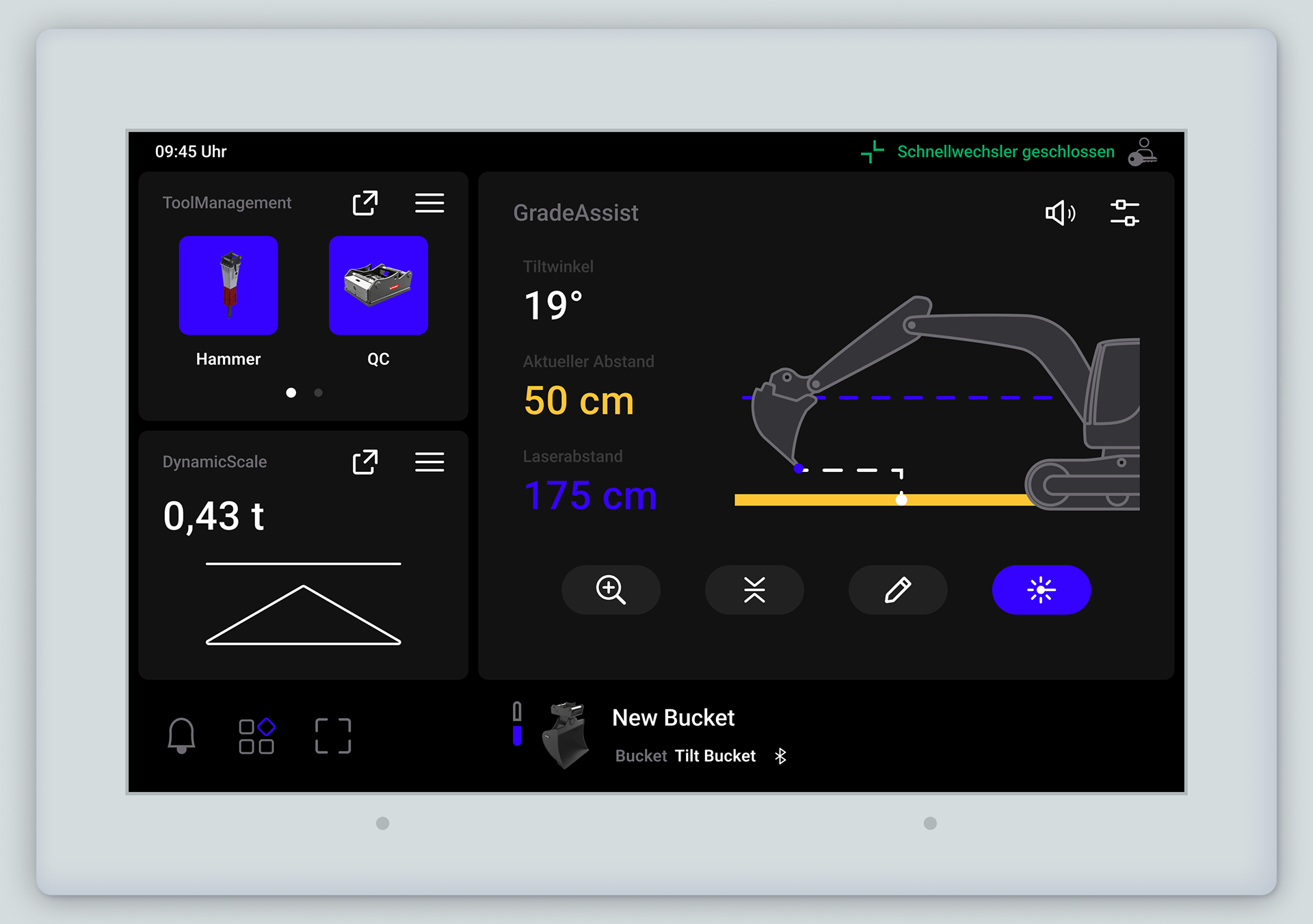
CoPilot CPX One is a modular HMI platform designed for excavators. I transitioned the legacy interface into a scalable ecosystem that works natively across various displays and manages up to three applications simultaneously. My focus was on creating a unified operating logic to ensure a consistent user experience regardless of screen size or orientation.
role
UX / UI Design
Brand
Vemcon
timeline
July 2024 - November 2025
Problem
The previous system was limited to a single-app view, causing cabin clutter and high cognitive load. As the platform moved toward a modular ecosystem, the lack of unified logic made it a challenge to adapt existing functions to a shared, responsive layout.
Goal
Establish a unified operating logic and scalable infrastructure to enable simultaneous multi-app usage. By implementing a structured framework and standardizing layouts, I ensured a seamless, safety-critical experience and design integrity across varying display configurations.
01
Design Infrastructure
Audit
Initially, the design assets were fragmented across a single, monolithic Figma file. The lack of clean separation between global foundations, UI components, and handoff flows severely compromised system maintainability and increased development overhead.
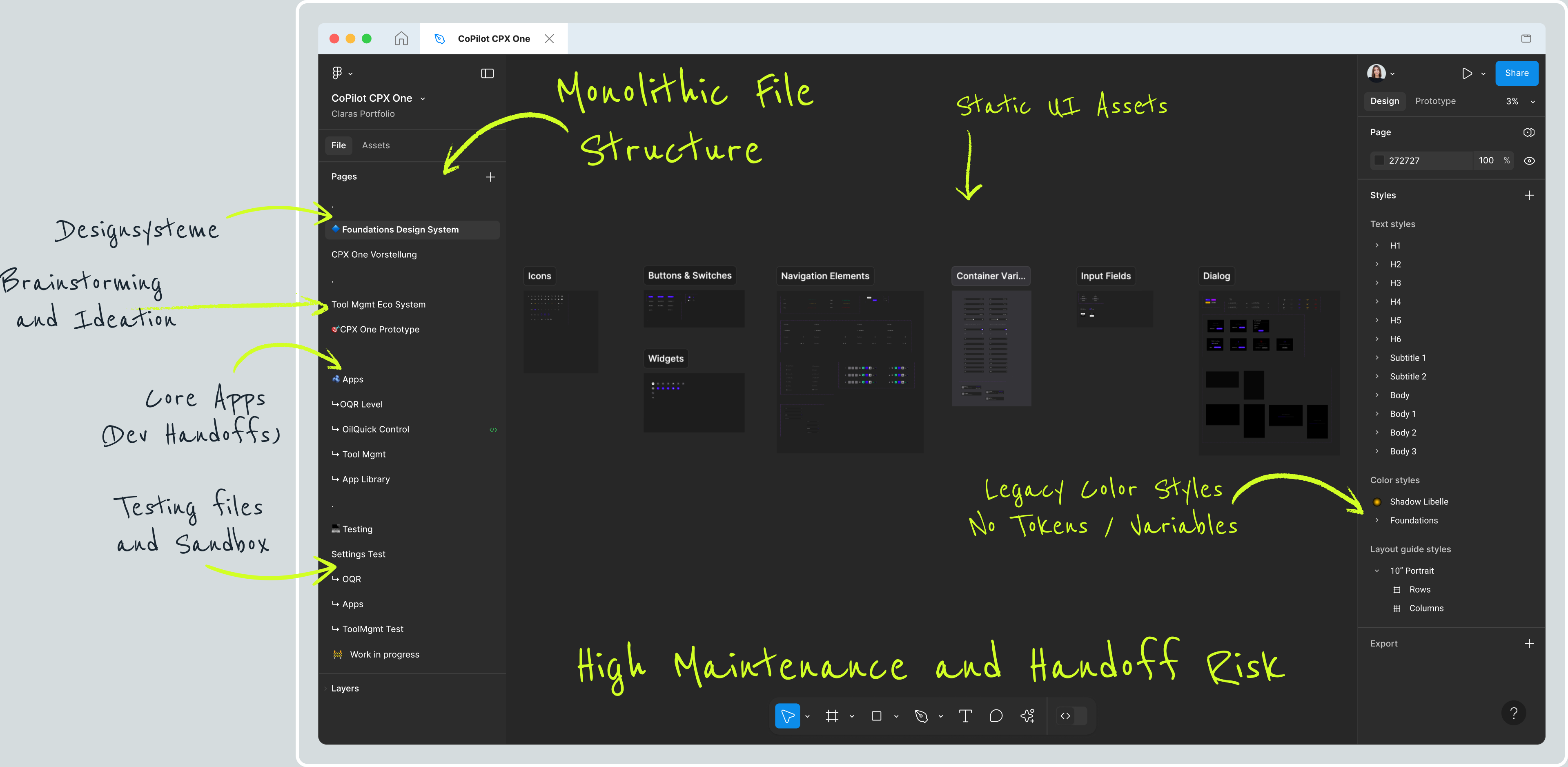
FIGMA RE-ARCHITECTURE
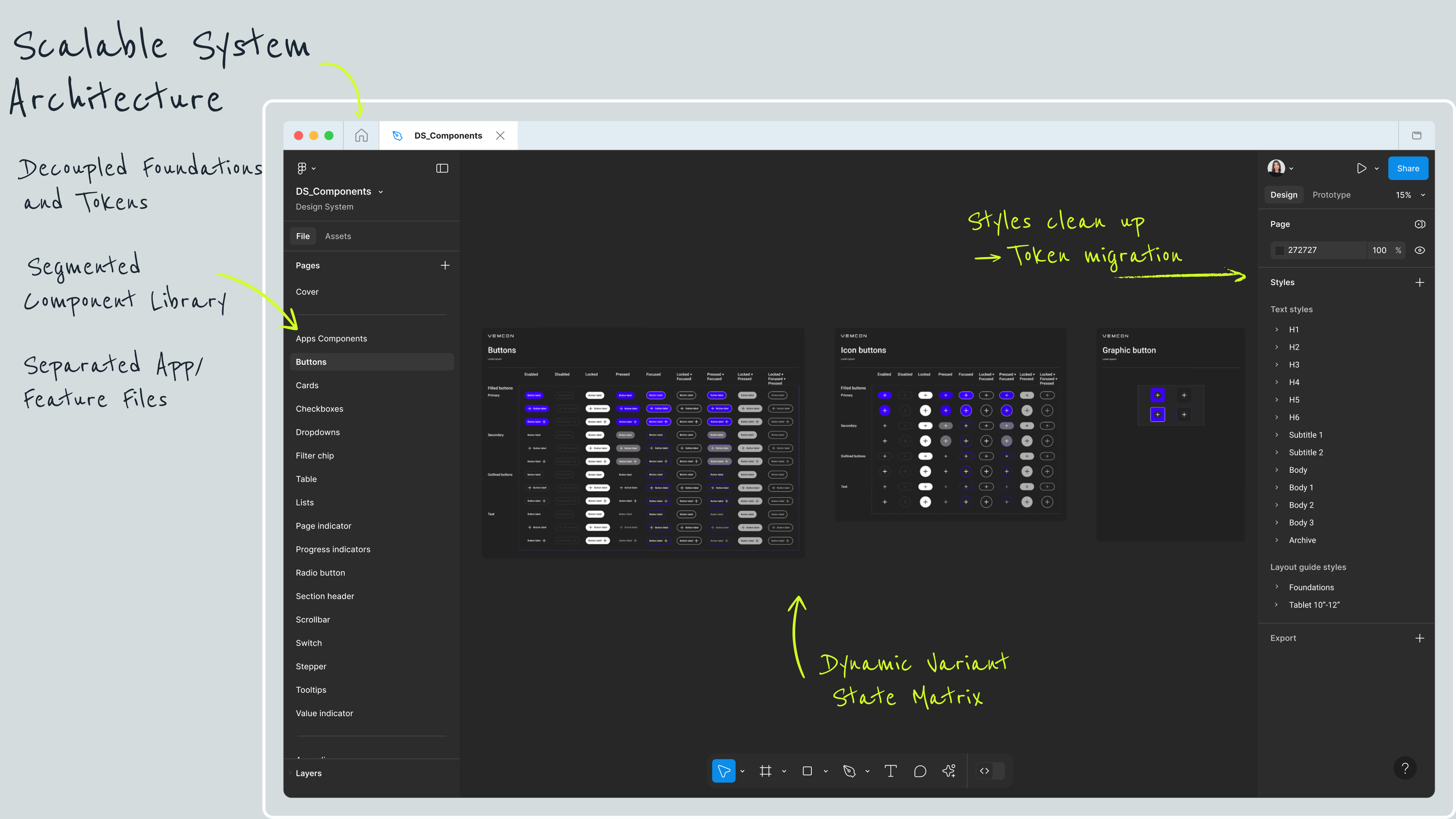
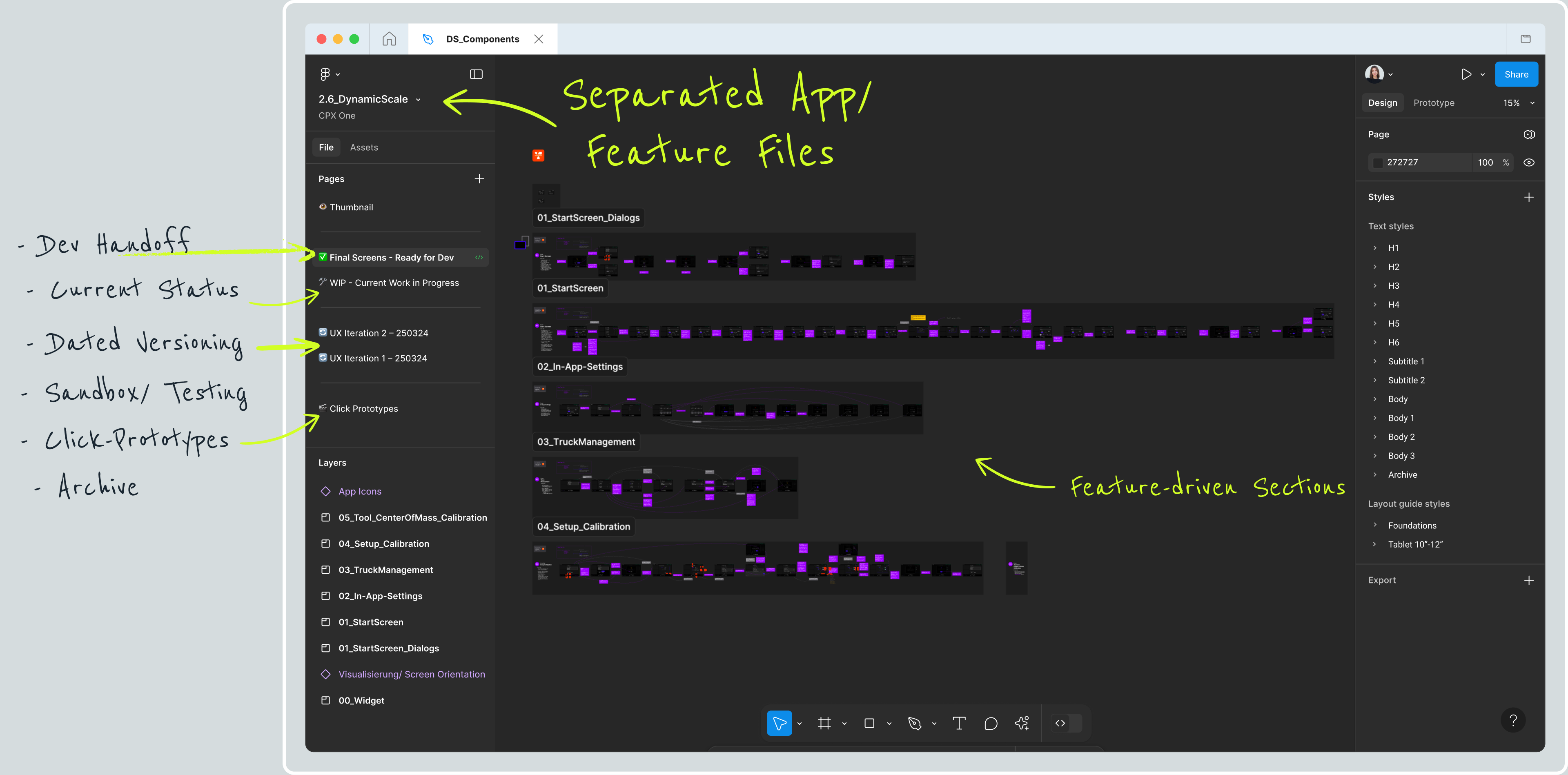
Restructured a messy, single Figma file into a scalable multi-file system. Separated global styles and tokens, built a clean component library, and split everything into dedicated app and feature files to optimize performance and streamline developer handoff.
02
Design Standards
Iconography
Legacy Challenges
● Inconsistent stroke widths across and within icons
● Uncoordinated mix of outlined and filled styles
Standardized Solution
● Unified stroke weight
● Strictly outlined style
● Mapped to a functional grid

ㅤ
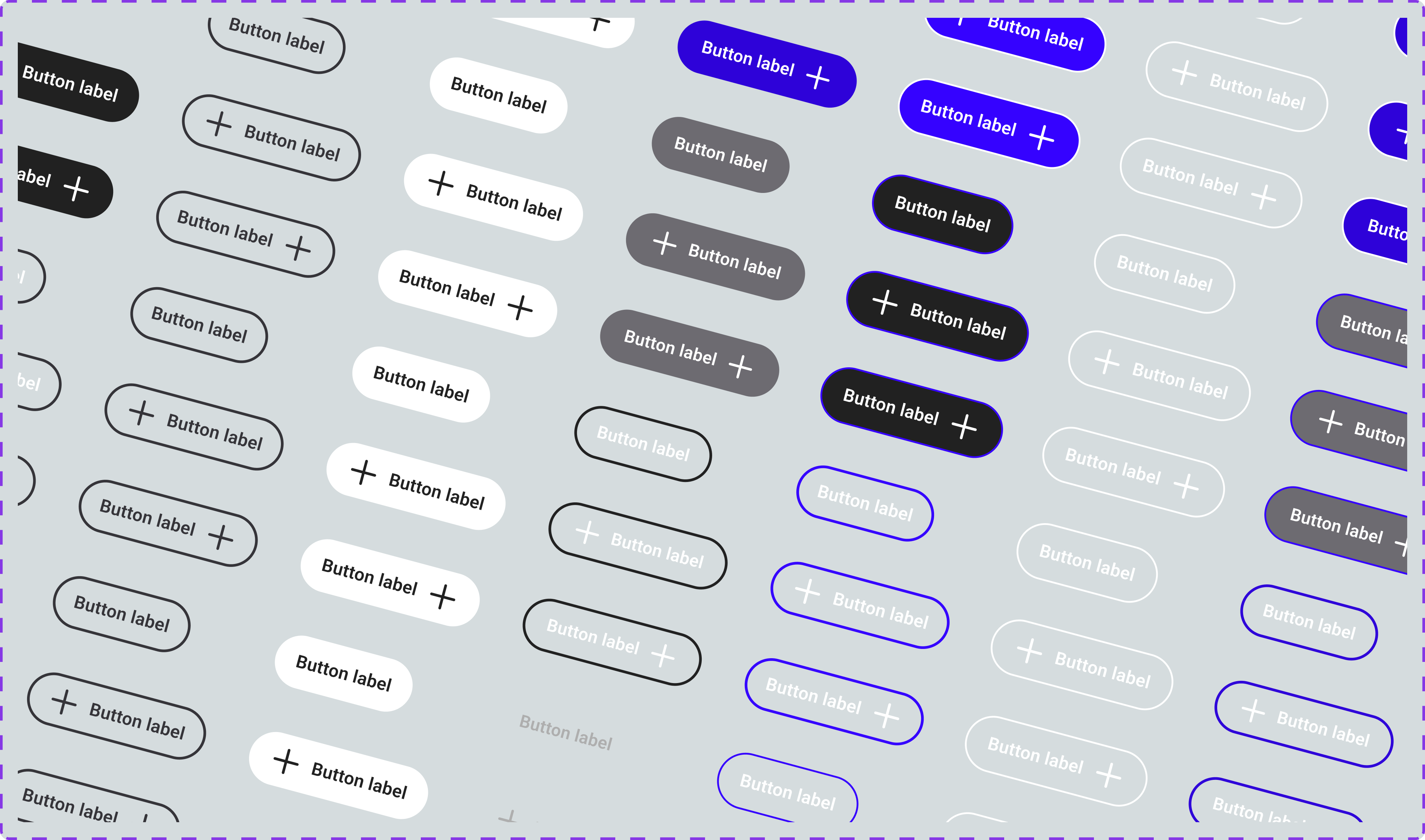
COMPONENT ARCHITECTURE
Legacy Challenges
● Flat component structures required manual replicas for every state
● Complex interactions lacked explicit, bulletproof visual feedback
Standardized Solution
● Established consistent master component architecture
● Tailored properties to specific technical needs
● Mapped component logic to multi-state combinations to reduce variants
03
App & Feature Development
Case in point: GradeAssist
GradeAssist is a 2D machine control system that helps excavator operators dig and shape terrain precisely. It serves as a prime example of how I transform technical complexity into clean, workflow-driven user experiences.
Challenge
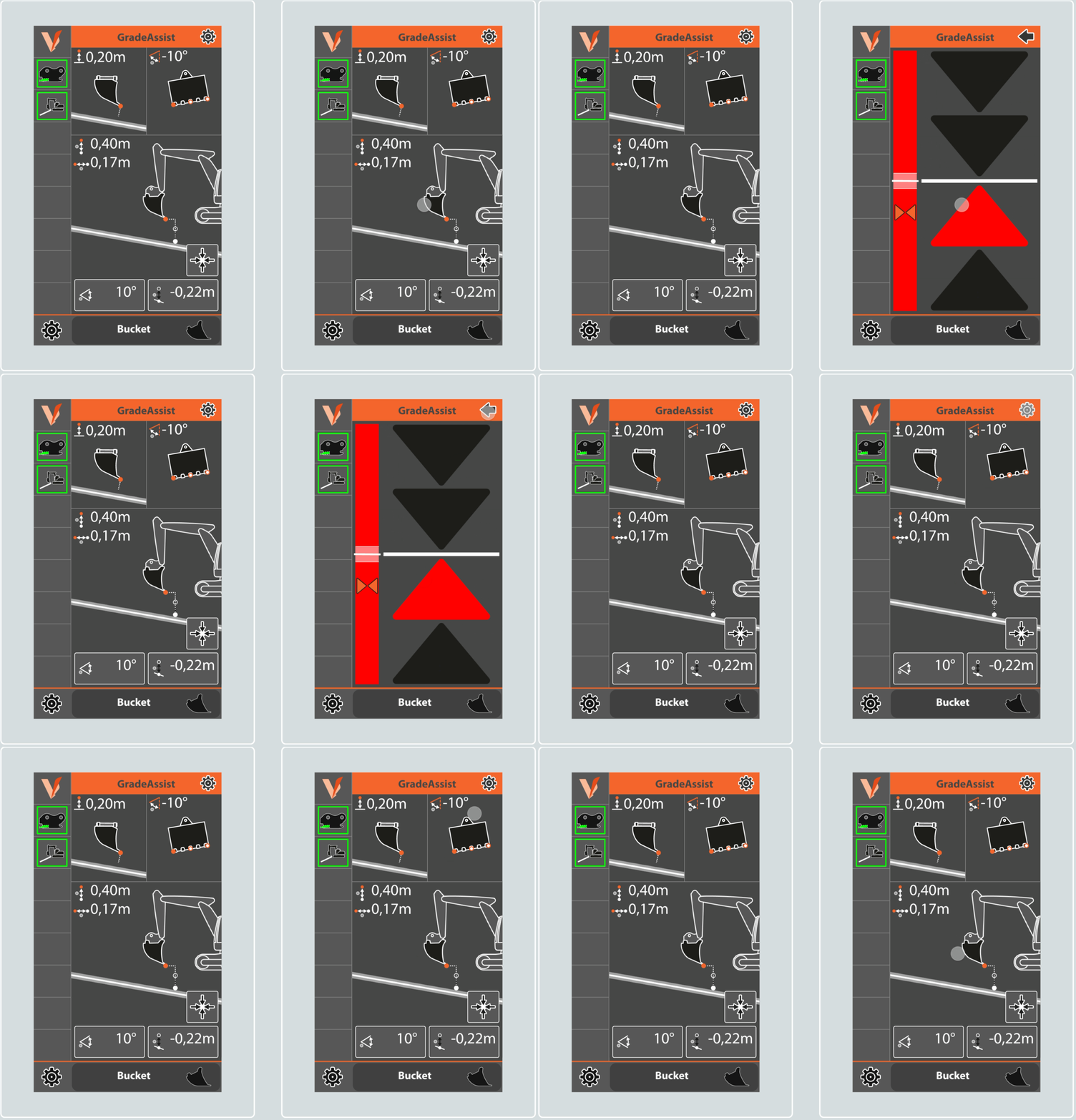
The legacy application suffered from severe visual and cognitive overload, presenting an unfiltered "data dump" that prioritized real-time data over the actual operator workflow.
● Developer-Centric Data
Multiple numerical values held zero operational value for the driver, creating massive visual clutter
Multiple numerical values held zero operational value for the driver, creating massive visual clutter
● Cryptic Iconography
Abstract, non-industry-standard icons lacked text labels, forcing operators to guess metrics
Abstract, non-industry-standard icons lacked text labels, forcing operators to guess metrics
● Hidden Interactions
The visual guidance was buried behind a hidden interaction pattern
The visual guidance was buried behind a hidden interaction pattern
Bigger Screens, Less Space
Shifting from a static 7" portrait screen to 10"/12" multi-orientation displays counterintuitively restricted available space. Because CoPilot CPX One runs up to three apps simultaneously, GradeAssist's allocated screen space shrinks drastically, requiring a multi-tiered layout including a high-density widget variant
Shifting from a static 7" portrait screen to 10"/12" multi-orientation displays counterintuitively restricted available space. Because CoPilot CPX One runs up to three apps simultaneously, GradeAssist's allocated screen space shrinks drastically, requiring a multi-tiered layout including a high-density widget variant
Design System Constraints
Mandated full-width touch containers for cabin ergonomics threatened to cause endless vertical scrolling if legacy side-by-side inputs weren't completely re-architected
Mandated full-width touch containers for cabin ergonomics threatened to cause endless vertical scrolling if legacy side-by-side inputs weren't completely re-architected
Research
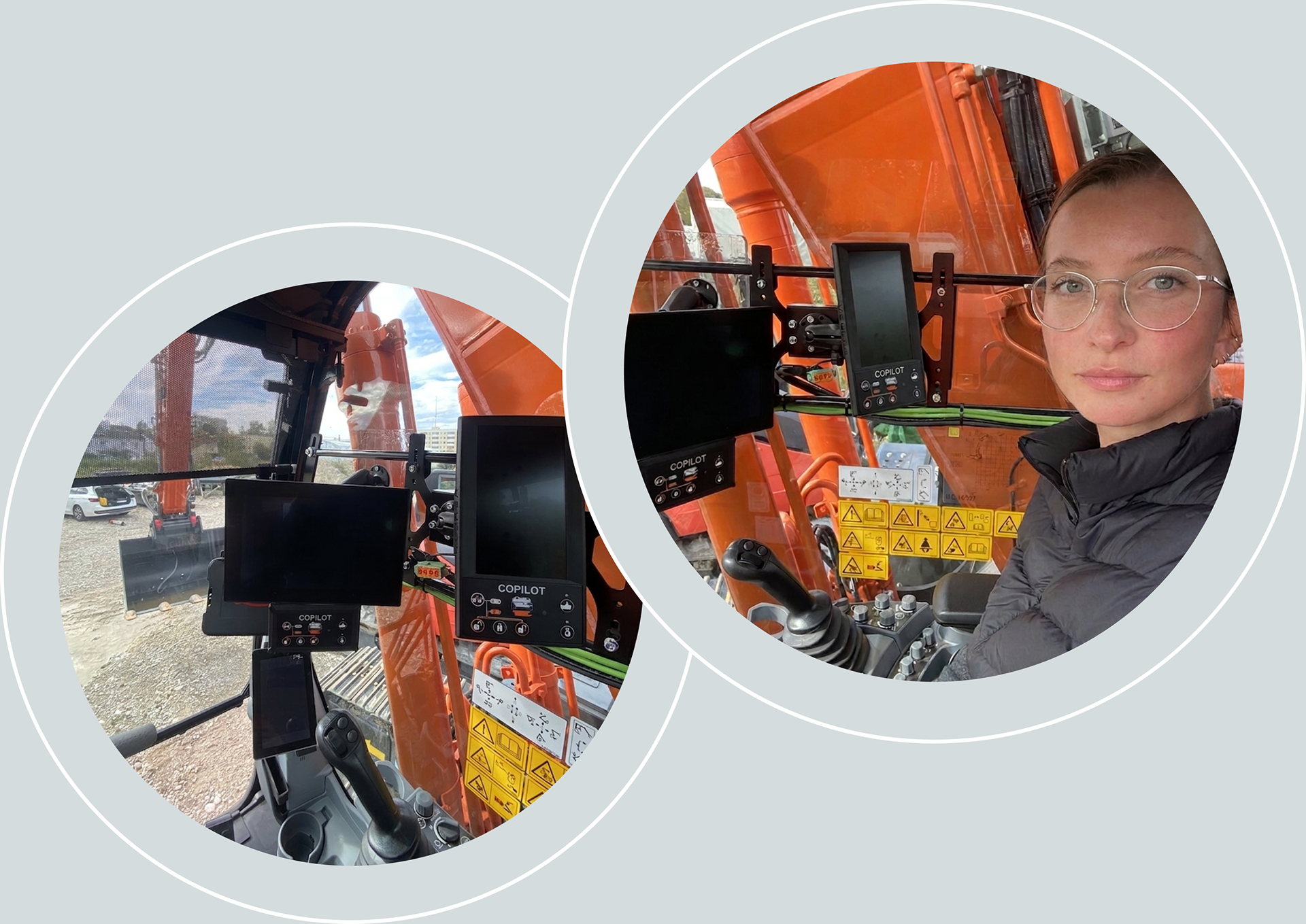
With direct access to end operators restricted, I executed a pragmatic research strategy to rapidly build domain knowledge:
● Expert Inquiries
Interviewed a service technician and developers to decode the systemic intent behind the legacy UI
● Benchmarking
Analyzed competitor grading tools to identify established industry UI patterns and standard terminology
Analyzed competitor grading tools to identify established industry UI patterns and standard terminology
● Field Testing
Operated a real excavator on test grounds to experience the grading process firsthand in a high-vibration environment and map the physical workflow
Operated a real excavator on test grounds to experience the grading process firsthand in a high-vibration environment and map the physical workflow
Solution
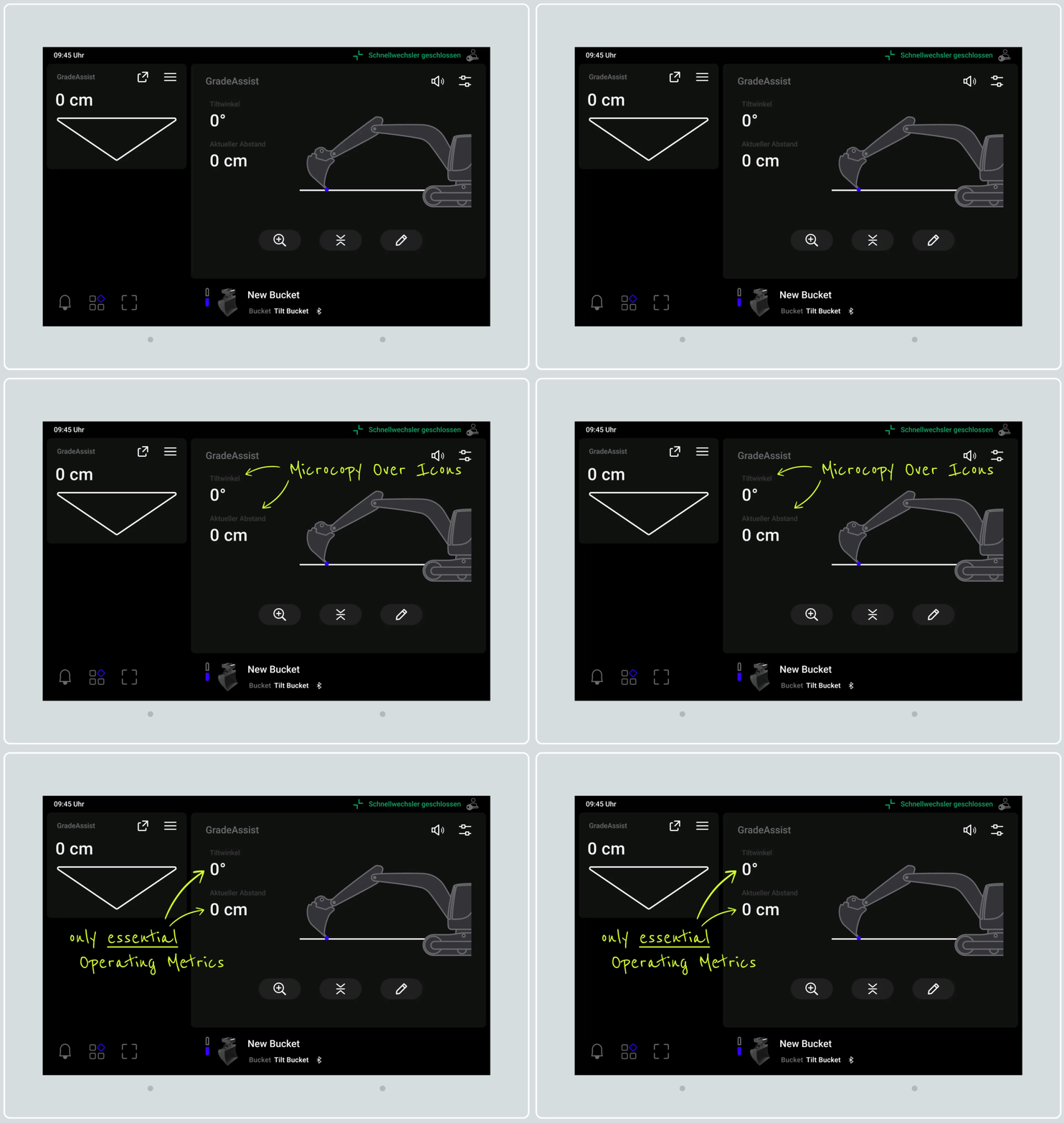
Microcopy Over Icons
Replaced vague symbols with clear text labels to remove operational ambiguity
Replaced vague symbols with clear text labels to remove operational ambiguity
Prioritized Metrics
Stripped data down to essential operating metrics during active grading
Stripped data down to essential operating metrics during active grading
Progressive Disclosure
Offloaded setup configurations into a secondary editing layer to eliminate visual noise and to comply with the mandated full-width container components
Offloaded setup configurations into a secondary editing layer to eliminate visual noise and to comply with the mandated full-width container components
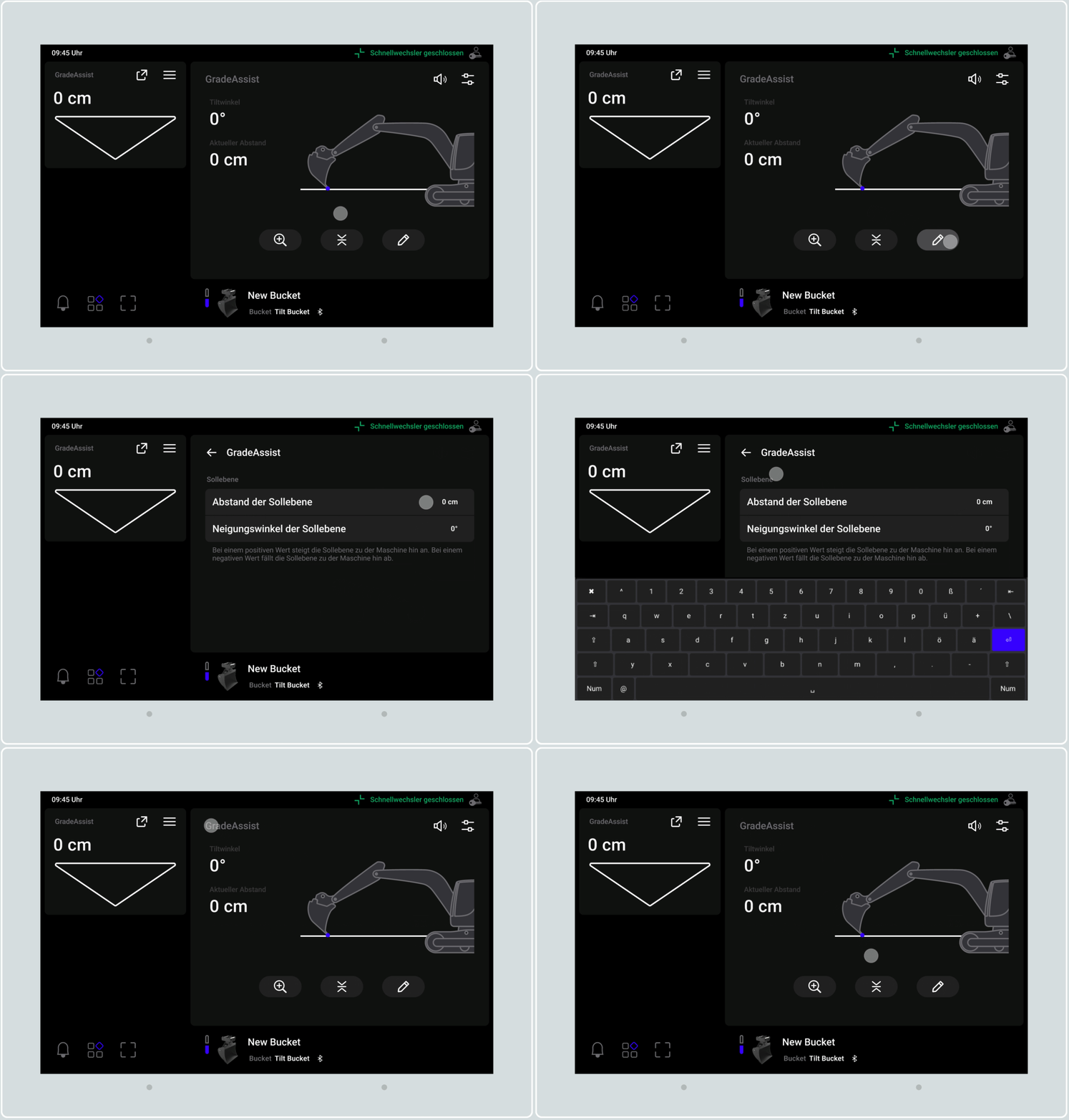
Dual-Path Navigation
Allowed launching the detailed view via the excavator visual or a zoom button
Allowed launching the detailed view via the excavator visual or a zoom button
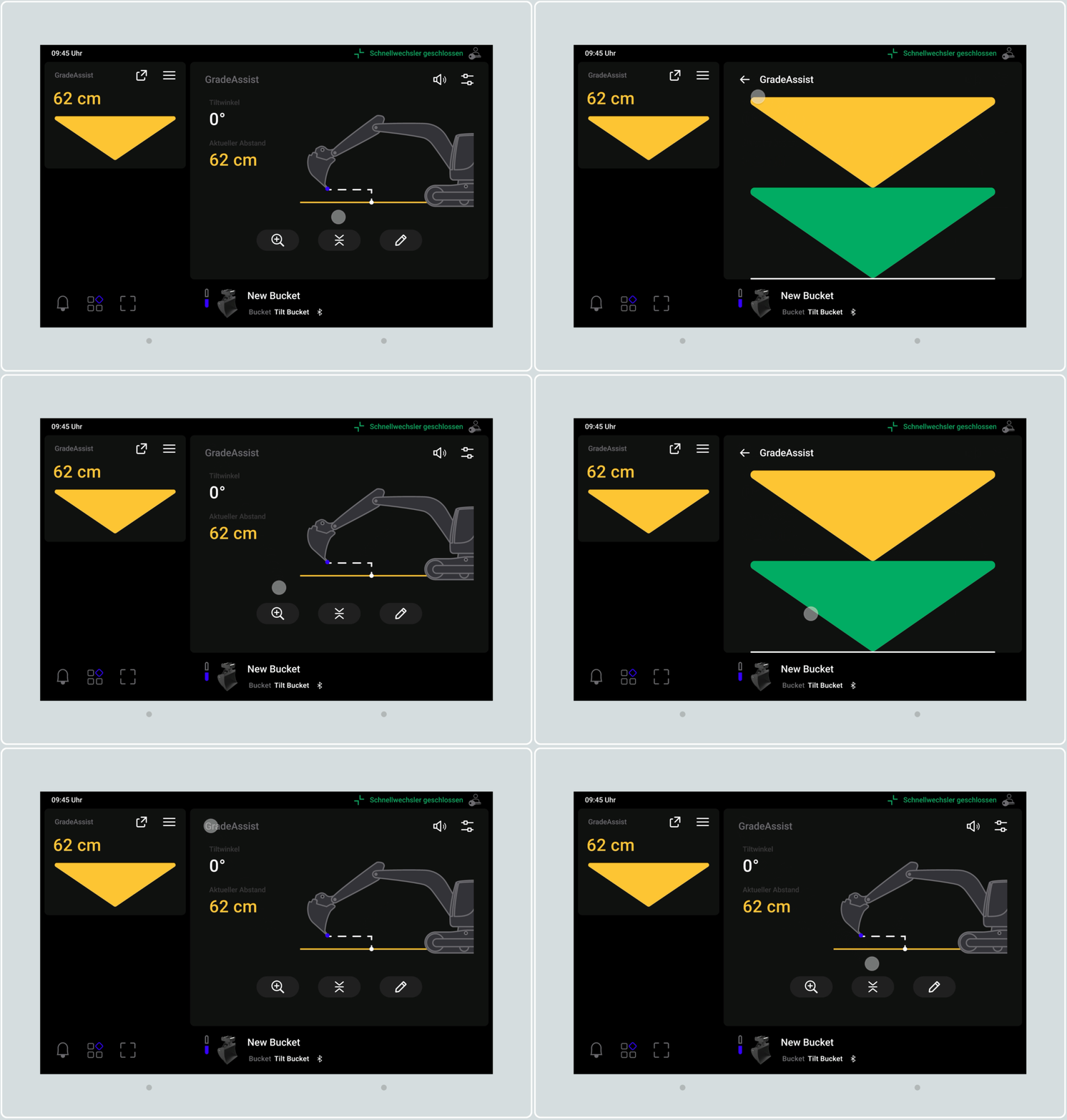
Dynamic Viewport
Instead of displaying a full, static vertical scale, the UI focuses exclusively on the immediate zone around the TCP. This saves massive vertical height, allowing the indicators to maximize their visual scale and readability on constrained displays.
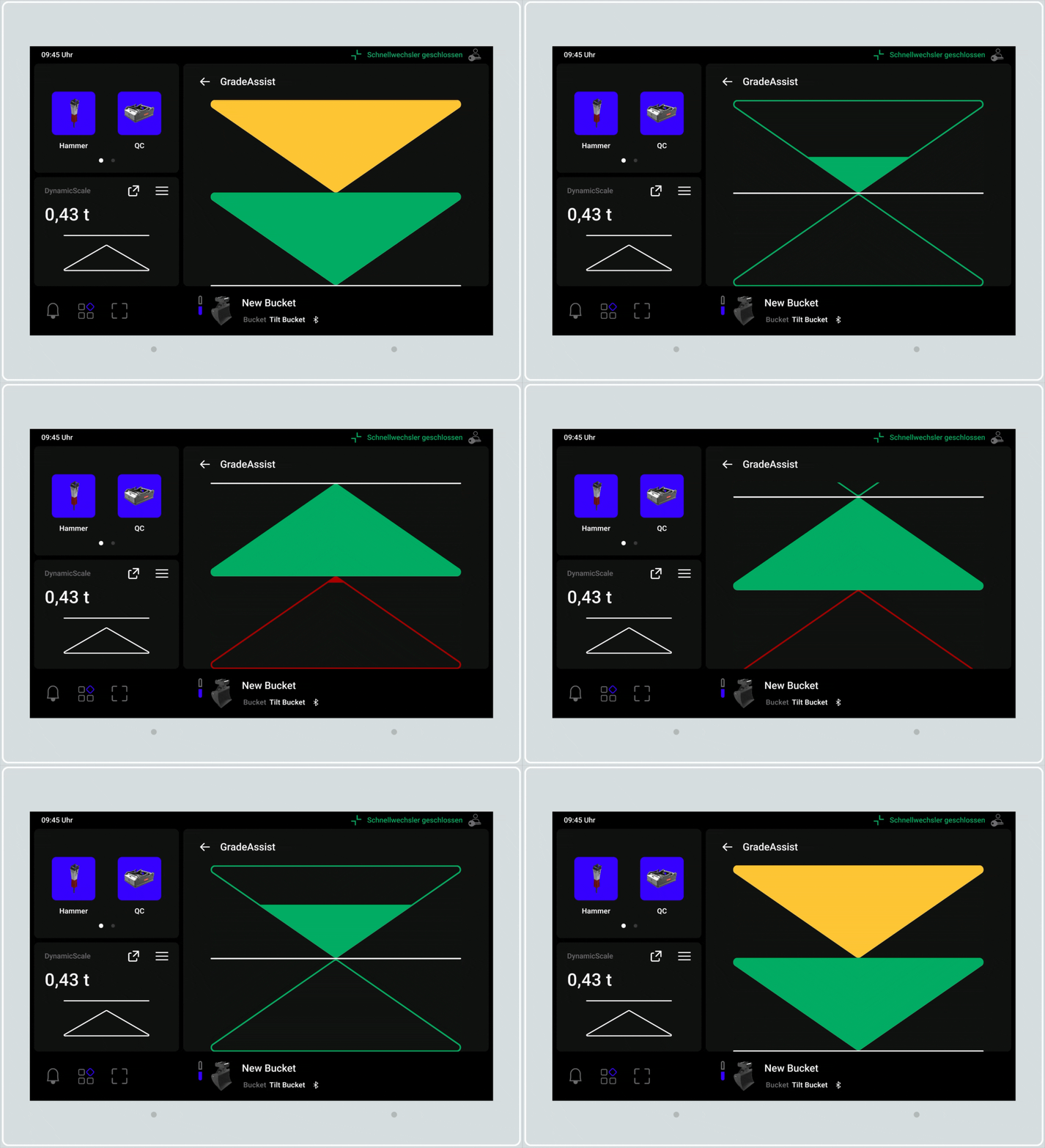
Visual Guidance
Designed indicators to proportionally "empty" near target grade, utilizing solid color fills for peripheral awareness and a clean UI on-grade.
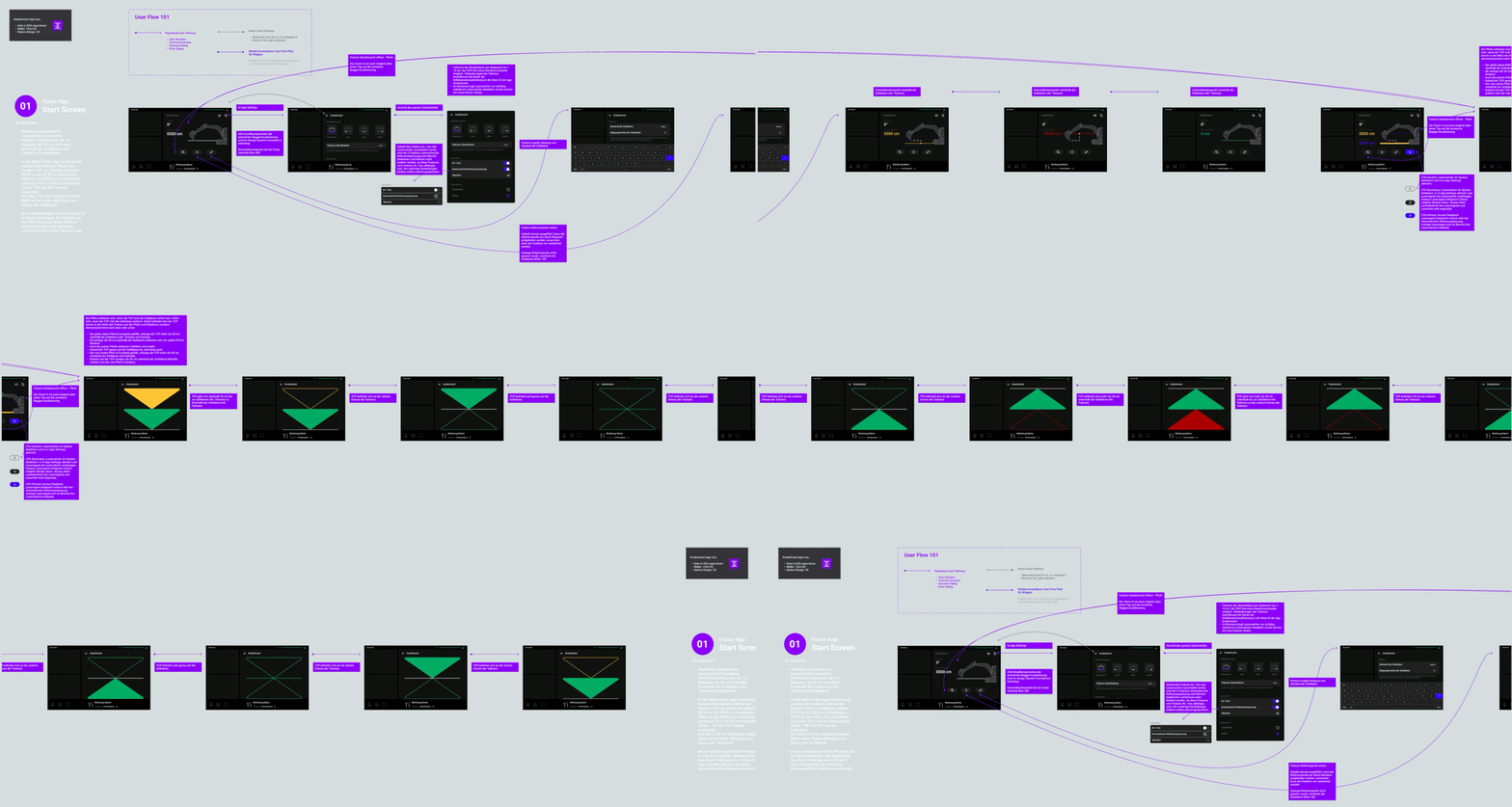
Developer Handoff & Design QA
● Documented the comprehensive state logic, dynamic indicator logic, and spec sheets mapping UI states in a Figma user flow, reducing engineering feedback and alignment cycles
● Conducted code-level styling reviews using browser developer tools to ensure absolute fidelity of design tokens
04
Conclusion & Impact
Cognitive Relief
By streamlining the GradeAssist workflow through progressive disclosure and prioritized metrics, I reduced cognitive load for operators, allowing them to focus on precision tasks.
By streamlining the GradeAssist workflow through progressive disclosure and prioritized metrics, I reduced cognitive load for operators, allowing them to focus on precision tasks.
Future-Proof Infrastructure
The transition to a multi-file Figma architecture — grounded in standardized iconography and unified component logic — improved developer handoff efficiency and accelerated future feature rollouts. This infrastructure now serves as the blueprint for future application modules, ensuring long-term maintainability.
The transition to a multi-file Figma architecture — grounded in standardized iconography and unified component logic — improved developer handoff efficiency and accelerated future feature rollouts. This infrastructure now serves as the blueprint for future application modules, ensuring long-term maintainability.
Key takeaway
Designing for safety-critical environments taught me that UI must function as a direct extension of the operator. By prioritizing clarity and ergonomic integrity, I moved beyond mere interface design to create a robust system that enables safer, more confident operation.